Jebel Ali Container Clearance: DO, Customs Release & Gate-Out Checklist
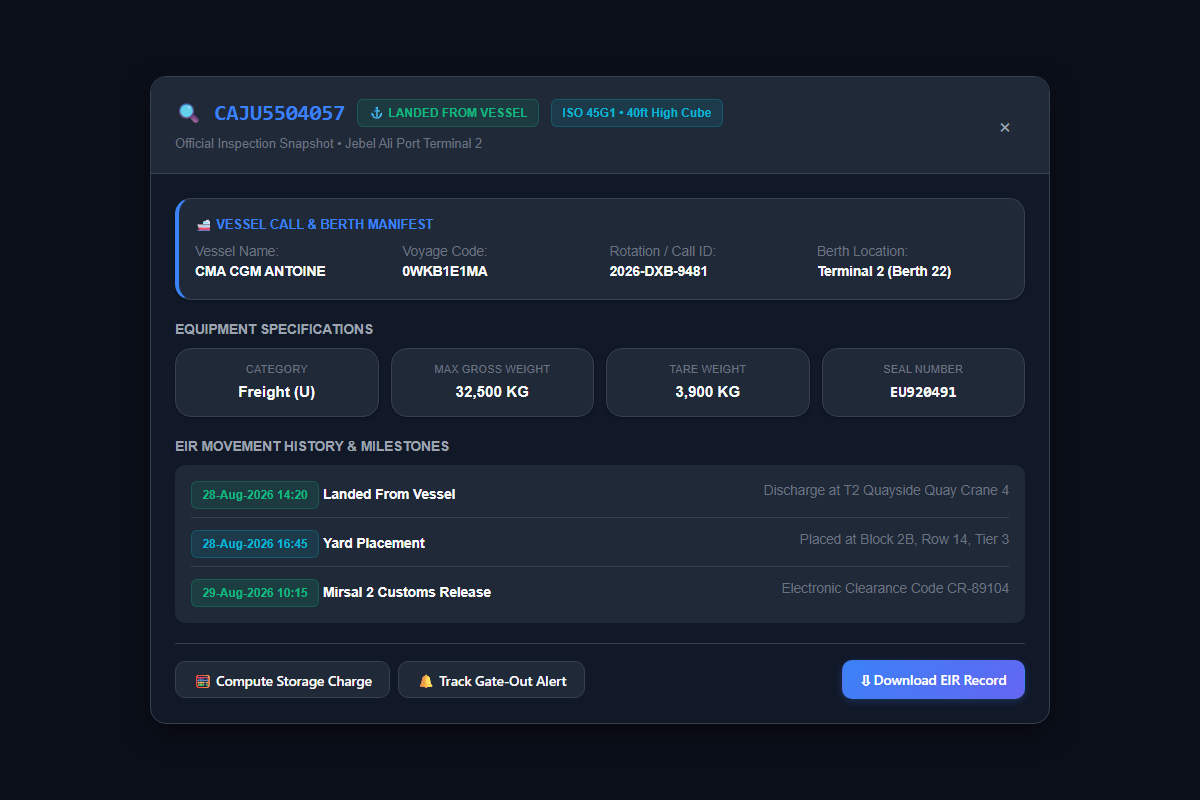
Clearance vs. Tracking: Container tracking tells you where your box is (e.g. LANDED FROM VESSEL at Terminal 2, Yard 2B). Container clearance is the legal, financial, and procedural chain required to release that box through DP World security gates onto a transport chassis for town delivery.
Who This Operations Checklist Is For
This operational handbook is engineered for UAE freight forwarding coordinators, customs brokers, and logistics managers responsible for moving import cargo from Jebel Ali container terminals (T1, T2, T3, and T4) to local warehouses in Dubai, Sharjah, Abu Dhabi, or JAFZA free zones without racking up port storage or haulier dry-run costs.
The 6-Step Jebel Ali Container Clearance Chain
Every commercial container moving through Jebel Ali Port must satisfy these six sequential gateways before the physical container can exit port gates:
Submit endorsed original ocean bills of lading (OBL) or confirm telex release with the shipping line. Settle outstanding ocean freight, local Terminal Handling Charges (THC), and container deposit guarantees. The carrier issues an e-DO (Electronic Delivery Order) directly into the Dubai Trade portal linked to your container number and trade license.
Your customs clearing broker logs into Dubai Customs Mirsal 2 via Dubai Trade. Submit the commercial invoice, packing list, certificate of origin, and HS tariff codes. Settle applicable customs duty (typically 5% CIF) and UAE VAT through your Dubai Trade CDR (Customs Duty Settlement) account or digital payment gateway.
Once Dubai Customs automated risk engine clears the declaration, the status switches to Cleared / Released. If routed to Yellow or Red channels, fulfill inspection requirements (such as X-ray scanning at DP World Inspection Center) to obtain the electronic Customs Clearance Certificate.
Settle DP World port handling, security, and storage dues electronically on Dubai Trade. Once paid, execute Haulier Nomination—electronically designating your registered road transport company to collect the specific container from DP World yards.
The nominated transport company accesses the DP World Truck Appointment System (TAS) to book an arrival time slot. The booking links the container number with the specific truck registration plate, trailer chassis ID, and registered driver mobile number to produce the digital eToken.
The truck enters the port gate during its eToken slot. The rubber-tired gantry (RTG) crane mounts the container onto the chassis at the yard stack. At the exit gate barrier, the system prints the Equipment Interchange Receipt (EIR), which serves as the official gate pass to town.
Where Tracking Fits: Check Before You Burn an eToken
A common and expensive mistake made by freight coordinators is booking a transporter eToken based solely on vessel ETA. If the container has not physically landed from the ship or is locked under an internal terminal hold, the truck arrives at Jebel Ali gates only to be turned away—costing you truck cancellation fees and wasted appointment slots.
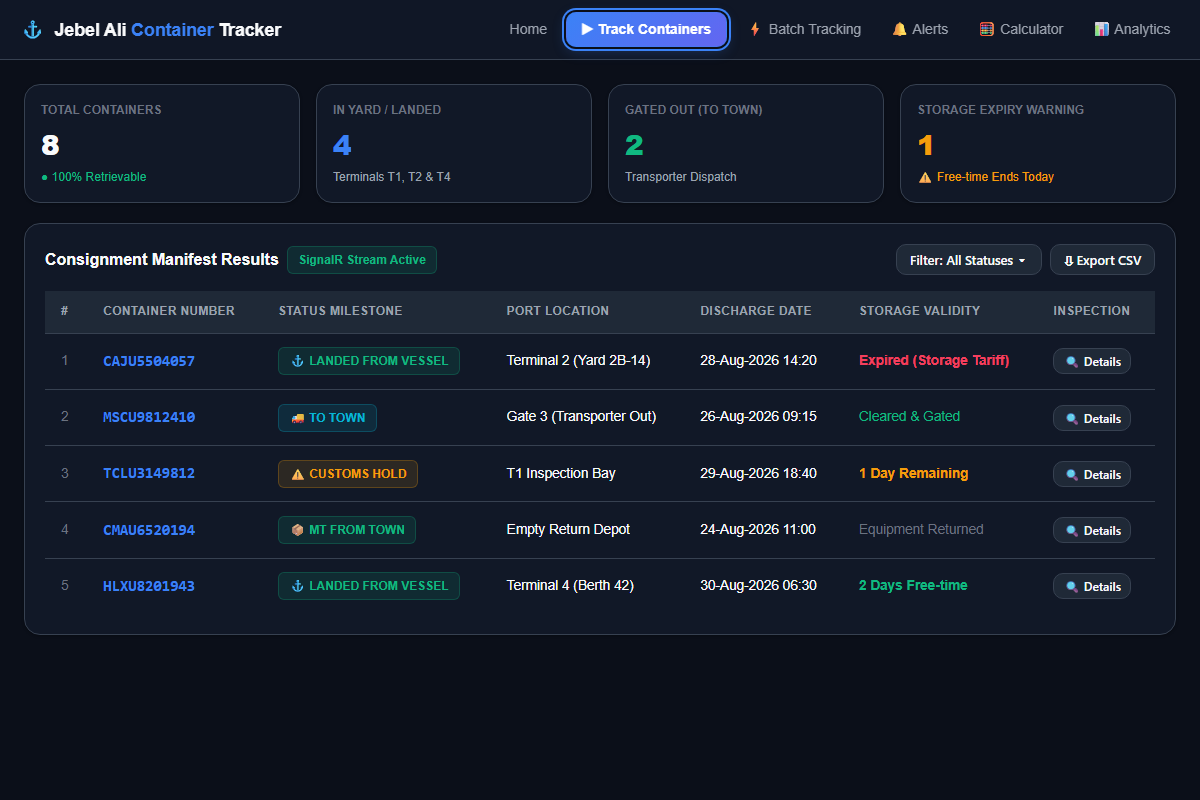
The Golden Rule: Always check your container list on Container Tracer to confirm:
Confirm the container is off the ship and assigned to a physical yard block (e.g. T2 Block 2B).
Check days left in your port free time (indicative: 10 days for standard import containers) with the Storage Calculator.
Verify no active customs holds, phytosanitary quarantine stops, or shipping line financial locks.
Customs Inspection & Holds at Jebel Ali
Dubai Customs risk-assesses each import declaration in Mirsal 2. Most are released electronically. Others are held for a document check, a scan, or a physical inspection before release. A container cannot leave the port (status TO TOWN) until customs has released it.
- Document check: customs asks your broker for invoices, certificates of origin, permits or other supporting documents.
- Scan or physical inspection: the container is moved inside the terminal to the inspection area and then returned to the yard. These internal moves can appear in the container's move history.
- Hold: a regulatory or documentation issue keeps the container from being released until your clearing agent resolves it with Dubai Customs or the relevant authority.
Resolving a customs hold, step by step
- Confirm where the box is: run the container in the tracking workspace and open its detail view. Check that it has landed, which terminal it is at, and its recent moves.
- Check the declaration: have your clearing broker review the declaration status and inspection remarks in Mirsal 2 on Dubai Trade.
- Book the inspection: if an inspection is required, arrange it through Dubai Trade or DP World customer services as instructed.
- Settle dues: pay any inspection-related and port charges so the release isn't blocked.
- Watch the free-time clock: free time keeps running during a hold. Use the storage calculator to see when charges start.
This tracker shows port-side status and moves. It does not show Mirsal 2 declaration details. For the official customs status, use Dubai Customs or Dubai Trade.
5 Common Clearance Stalls & How to Prevent Them
Cause: Pending ocean freight invoice, unpaid carrier container detention deposits, or unendorsed original bill of lading.
Fix: Confirm e-DO issuance in Dubai Trade before instructing your customs broker to register the import declaration.
Cause: Automated risk profiling flags the cargo for non-intrusive X-ray or physical de-stuffing.
Fix: See Customs & Inspection Guide and book the inspection promptly so the hold clears before free time runs out.
Cause: Container stayed in the yard beyond its free time, creating an unpaid storage balance.
Fix: The haulier's eToken will be blocked at the gate. Settle the storage invoice on Dubai Trade immediately so the gate barrier opens.
Cause: Traffic congestion on Sheikh Zayed Road (E11) or Yalayis Street (D57) delays truck arrival.
Fix: Instruct transporters to track arrival progress; if delay is unavoidable, cancel and re-book the TAS token before it lapses.
Cause: Transporter delays exiting the outer security barrier after mounting the box in the yard.
Fix: Make sure the driver exits directly after loading. Check the current exit-validity rules with DP World or your haulier.
Frequently Asked Questions: Jebel Ali Container Clearance
An e-DO (Electronic Delivery Order) is issued by the ocean shipping line transferring title of cargo to the importer. An eToken is an appointment pass generated on DP World's Truck Appointment System (TAS) giving a registered truck a time slot to enter the terminal and pick up the container.
No. All commercial transactions at Jebel Ali Port—including customs declaration, port payment, e-DO verification, and haulier nomination—are processed digitally through registered Dubai Trade enterprise accounts. If you do not hold a login, an authorized clearing agent or freight forwarder must execute on your behalf.
No. Under the DP World tariff, free time counts from the discharge date. Indicatively that is 10 days for standard import containers, 3 days for IMDG class 8, and none for IMDG class 5. Customs reviews and inspection queues don't automatically pause it. See indicative storage charges.
Gate entry is normally refused for a truck outside its slot. The haulier has to cancel the expired token and book a new slot in TAS.
Once the container is lifted onto the transport chassis and the EIR is generated, the truck must pass through the outer security barrier within the exit validity period set by the terminal. Check the current rule with DP World or your haulier.
Essential Tools & Operational Guides
Official sources
- Dubai Trade (dubaitrade.ae) ↗: Official single window: Container Enquiry, delivery orders, e-tokens and port payments.
- Dubai Customs (dubaicustoms.gov.ae) ↗: Customs declarations, inspection and release rules.
- DP World UAE (dpworld.com/uae) ↗: Port operator for Jebel Ali terminals T1 to T4: services, notices and customer care.
- DP World UAE Region Tariff Book, November 2023 edition (PDF) ↗: Storage (item 511), free time (item 119) and reefer monitoring (item 515).
- Container Tracer is independent and not affiliated with any of these organisations. Always confirm rules and charges with them directly.